September 3, 2025
Struggling to integrate LinkedIn with your business systems? Here's what you need to know:
Many UK businesses face challenges connecting LinkedIn with CRMs, ERPs, and marketing tools. Issues like data silos, manual processes, and GDPR compliance gaps can slow down operations and lead to missed opportunities. LinkedIn's API offers tools like real-time data sync and lead form integration, but it has limits - rate restrictions, data access rules, and compliance requirements.
The solution? Custom APIs. These systems bridge LinkedIn and your internal tools, ensuring smooth data flow, faster lead responses, and improved campaign tracking. With options like webhooks, workflow mapping, and data transformation, custom APIs solve integration problems while keeping your business compliant and scalable.
Here’s what you’ll learn:
Get the most out of LinkedIn by tackling integration challenges head-on.
To tackle the integration challenges mentioned earlier, it's crucial to understand the capabilities and limitations of LinkedIn's API. Acting as a connector between LinkedIn and your business systems, this API offers powerful tools - but not without certain restrictions.
LinkedIn's API provides features that can reshape how businesses approach social selling and marketing. For starters, OAuth 2.0 authentication ensures secure access to LinkedIn data while adhering to enterprise security standards, offering peace of mind for sensitive information.
One standout feature is real-time data synchronisation. For example, when a prospect interacts with your LinkedIn content or updates their profile, this data flows instantly into your CRM. This ensures your sales team always has up-to-date information at their fingertips.
Another strength is access to profile and company data. The API allows businesses to gather details such as job titles, company information, and professional backgrounds. This data is incredibly useful for lead scoring and creating personalised outreach campaigns, especially for UK-based B2B companies targeting specific industries or business sizes.
The API also simplifies content management automation, enabling businesses to schedule posts and monitor engagement metrics. This is particularly helpful for agencies managing multiple clients, as it reduces manual effort.
For lead generation, the API supports Lead Gen Form integration. When someone fills out a LinkedIn Lead Gen Form, their details can automatically sync with your CRM, triggering follow-up actions without any manual input. This ensures fast responses, which UK buyers often expect.
Finally, the API offers analytics and reporting tools. Businesses can pull campaign performance data, audience engagement insights, and content metrics directly into their analytics platforms. This helps create detailed dashboards that combine LinkedIn data with other marketing channels.
Now, let’s look at the restrictions that balance these capabilities.
While the LinkedIn API offers useful features, it comes with constraints that businesses must work around. One of the biggest challenges is rate limiting, which restricts how often you can make API calls. These limits depend on your partnership level with LinkedIn, but even premium users face restrictions that can disrupt real-time integrations.
Data access restrictions have also become stricter. For example, personal email addresses are no longer accessible through the API, and contact details are limited to what users willingly share. This can impact UK businesses relying heavily on email marketing as part of their lead-nurturing strategies.
When it comes to content posting, there are limits on how frequently you can automate posts. Over-automation can lead to reduced organic reach, as LinkedIn's algorithms prioritise authentic, engaging content over spam-like activity.
Another hurdle is compliance requirements. LinkedIn enforces strict rules about how data can be used, and breaking these terms can result in losing API access. For UK businesses, this means ensuring all API activities align with GDPR regulations, especially when handling user data.
| API Capabilities | Key Limitations |
|---|---|
| Real-time profile synchronisation | Rate limits restrict frequency of updates |
| Lead Gen Form integration | No access to personal email addresses |
| Content scheduling and posting | Automated posting frequency restrictions |
| Company and profile data access | Limited to publicly available information |
| Analytics and performance metrics | Historical data access depends on partnership |
| OAuth 2.0 secure authentication | Requires ongoing compliance monitoring |
Partnership requirements present another obstacle. Full API access often requires becoming a LinkedIn Marketing Partner, which involves meeting specific criteria and maintaining compliance. For smaller UK businesses, this can be a tough barrier to overcome.
Additionally, the API offers limited historical data access. Depending on your partnership level, you might only retrieve recent engagement data, making it challenging to analyse long-term trends or import older LinkedIn activity into your systems.
Finally, geographic restrictions may apply to certain API features. While these are less common for UK businesses, companies operating in multiple regions might face differences in functionality due to local regulations or LinkedIn’s policies.
Understanding these constraints is essential before diving into custom API development. Tailored solutions can help UK businesses navigate these limitations and create integrations that meet their specific needs.
With LinkedIn's standard API often falling short of specific needs, many UK businesses turn to custom API solutions for smoother integration. These tailored systems can bypass rate limits, handle intricate data transformations, and adhere to both LinkedIn's guidelines and UK regulations.
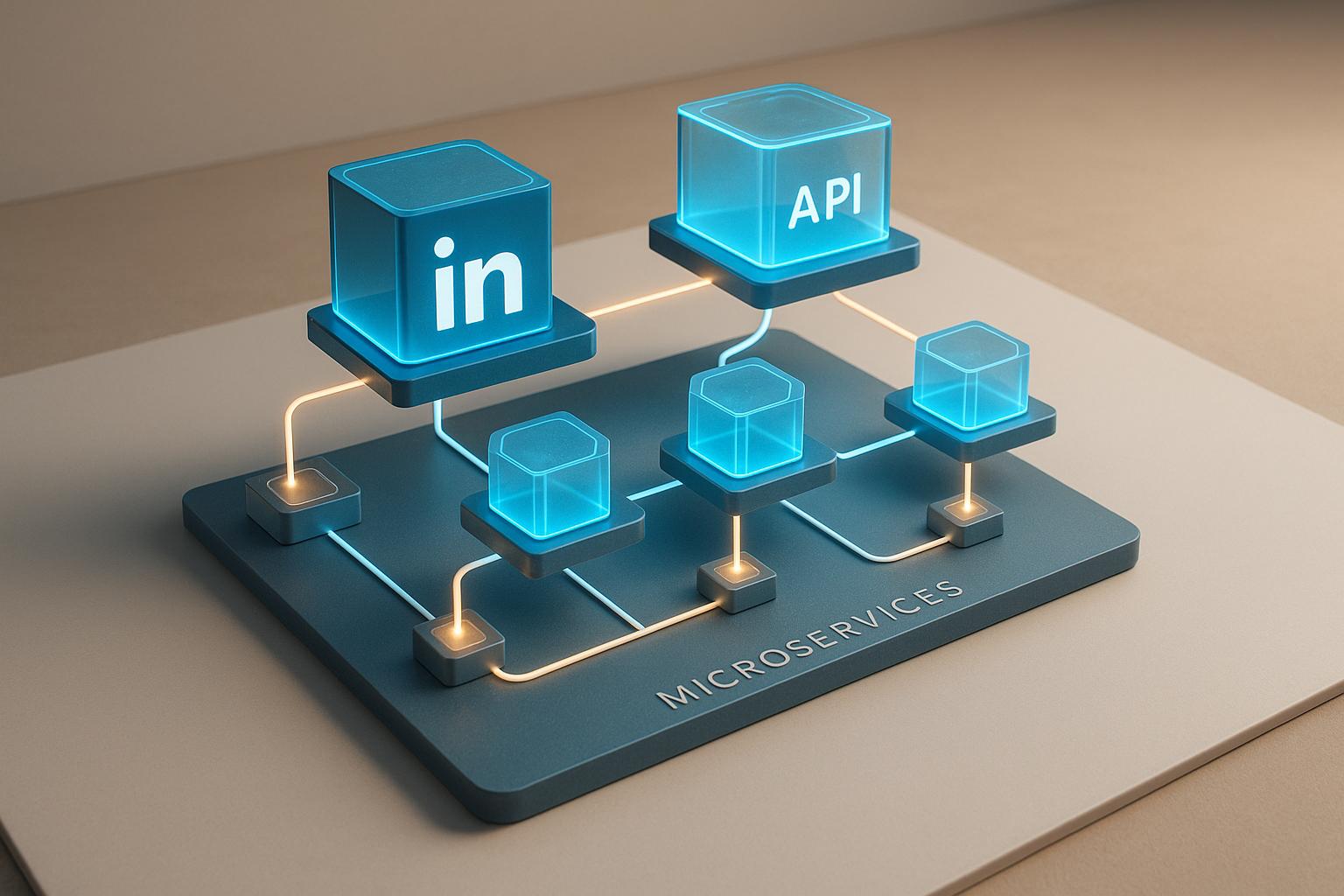
Custom solutions typically involve creating middleware that acts as a translator between LinkedIn and your internal systems. This middleware manages API calls and reformats LinkedIn's data to match your requirements. Instead of forcing your CRM or ERP to adapt to LinkedIn's structure, you build a bridge that connects the two seamlessly. This approach not only addresses the challenges of data silos but also mitigates rate-limit issues.
One of the biggest benefits here is smarter request management. Rather than overwhelming LinkedIn’s API with constant calls, custom solutions can group requests, cache frequently accessed data, and prioritise updates that matter most. This ensures UK businesses stay within LinkedIn's limits while maintaining near real-time data synchronisation.
Custom API solutions provide flexibility and efficiency, especially when working around the limitations of LinkedIn's standard API. Here are some key methods to consider:
For UK businesses, data residency controls are particularly important. Custom solutions can ensure LinkedIn data is processed and stored within the UK, meeting local compliance requirements that standard integrations might overlook.
A secure integration is vital, especially for businesses handling sensitive data. Here are some best practices to follow:
Investing in a custom API solution can streamline operations, improve data accuracy, and ensure regulatory compliance. However, success relies on careful planning, strong security measures, and ongoing updates to keep pace with LinkedIn's evolving platform.
Custom API solutions allow LinkedIn to integrate directly with CRM and ERP systems, creating a seamless flow of information. This means prospect data, engagement metrics, and customer records are updated in real time. Every interaction on LinkedIn instantly appears in your CRM, offering the full context needed for smarter sales decisions.
When it comes to ERP systems, integrating LinkedIn data provides valuable insights into market trends and customer behaviour. These insights can enhance demand forecasting and strategic planning. For example, patterns in purchase behaviour, industry updates, and customer engagement can be visualised in ERP dashboards, helping businesses make better-informed decisions.
Security is a key focus, with OAuth 2.0 authentication and automated token refresh processes ensuring a secure and uninterrupted workflow. These measures also align with UK data protection regulations, so you can maintain compliance while enjoying the benefits of integration.
One standout advantage of integrating LinkedIn data is the ability to create unified customer profiles. By merging LinkedIn professional details, company information, and engagement history with existing CRM data, businesses can gain a more comprehensive view of prospects and customers. This added context can significantly improve sales conversations and decision-making.
Another benefit is automated lead scoring. CRMs can prioritise leads based on LinkedIn engagement levels, professional roles, and network connections. This eliminates the guesswork of manual assessments, allowing sales teams to focus on the most promising opportunities.
The integration also enhances prospecting. LinkedIn data flowing directly into your CRM enables sales teams to identify warm leads, use mutual connections for introductions, and personalise outreach. This reduces the time spent on manual research and ensures fewer opportunities are missed.
Marketing teams also gain an edge with improved attribution. By linking LinkedIn engagement data to CRM conversion tracking, they can better evaluate the success of LinkedIn campaigns and adjust content strategies accordingly. This clearer insight into engagement patterns helps demonstrate the return on investment from social selling efforts.
When LinkedIn metrics are integrated with business intelligence tools, reporting and analytics become more powerful. Custom dashboards that combine social engagement data with traditional sales metrics provide a clearer view of the customer journey, from the first interaction on LinkedIn to a closed deal.
The way you integrate LinkedIn with your systems - manual or automated - makes a big difference in efficiency and accuracy. Manual processes, like entering prospect data by hand, are not only time-consuming but also prone to errors. Automated integration, on the other hand, scales effortlessly as your business grows, handling larger data volumes without the administrative burden.
With automated systems, lead responses are faster, and records are updated immediately. These systems also create reliable audit trails, which are essential for compliance and can help avoid mistakes that might harm customer relationships.
For UK businesses, platforms like Autelo (https://autelo.ai) offer an extra layer of functionality. Autelo uses AI to enhance LinkedIn content and engagement, complementing custom API solutions and making the integration of LinkedIn data with CRM and ERP systems even smoother.
When linking LinkedIn with your business systems, you'll often find that the data structures don't align. This mismatch means you need to map and transform LinkedIn's data into formats your systems can understand. Custom API solutions are key here, as they provide tailored mapping and transformation processes to bridge these gaps effectively.
The process starts by matching LinkedIn's data fields to the corresponding fields in your target system. Data transformation, however, takes this a step further by reformatting or restructuring the data. For instance, LinkedIn might use an ISO date format like '2025-09-02T14:30:00Z', but your system might require the British format '02/09/2025 14:30'. Similarly, LinkedIn phone numbers, often stored in international formats like "+44 20 7946 0958", might need to be converted to a local format such as "020 7946 0958" for UK contacts.
Things get trickier with nested data structures. LinkedIn's API often provides company information in layered, nested objects, whereas your CRM might need this data split into separate, flat fields. Custom APIs automate these transformations to ensure a smooth, error-free flow of data. This careful mapping process is essential for effective integration with CRM and ERP systems.
Data mapping isn't without its challenges, and each problem demands a tailored solution. Schema mismatches and field compatibility issues are among the most common hurdles. LinkedIn's data structure often differs from traditional CRM or ERP schemas, and its rich text fields can be difficult to adapt to older systems that only support plain text.
Here are some common challenges and their solutions:
| Challenge | Impact | Solution |
|---|---|---|
| Schema mismatch | Data doesn't fit the target system structure | Create custom mapping rules with field transformation logic |
| Field type conflicts | Formatting is lost when converting rich text | Use data sanitisation techniques like HTML-to-text conversion |
| Missing target fields | No equivalent field in the target system | Add custom fields or use flexible options like notes |
| Data validation errors | Improperly formatted data gets rejected | Include validation layers to correct formats before importing |
| Duplicate detection | Same contact appears multiple times | Use matching algorithms based on email and name combinations |
Another issue is data quality inconsistencies. LinkedIn users often input information in varied formats, such as "Managing Director", "MD", or "Managing Dir" for the same role. To handle this, your mapping solution should include normalisation rules to standardise these variations into consistent values.
Rate limiting is another challenge, as LinkedIn's API restricts the number of requests you can make per hour. Efficient transformation processes, such as batch processing and intelligent queuing, can help navigate these limits while keeping your data up to date.
To address these complexities, flexible mapping engines are essential. These systems should be able to handle exceptions and offer fallback options - so if one mapping rule fails, the engine tries an alternative instead of losing the data.
Several tools can assist with LinkedIn data transformation, each catering to different needs:
To ensure the transformed data meets quality standards, tools like Great Expectations can validate data before it enters your systems. This prevents errors from disrupting your operations.
For UK businesses, compliance with GDPR and other local data standards is critical. Many modern platforms include built-in compliance features, such as automatic logging of data processing activities and detailed documentation for regulatory purposes.
Integrating LinkedIn through custom APIs offers UK businesses a way to simplify operations and enhance social selling efforts. While challenges such as API limitations and intricate data mapping exist, these hurdles can be addressed with tailored solutions. The result? A smoother path to business growth and stronger system integration.
Custom APIs provide a way to overcome the restrictions of LinkedIn's standard offerings by creating tailored data flows for your CRM and ERP systems. Instead of forcing your processes to fit LinkedIn's framework, these solutions make LinkedIn's data work harmoniously with your existing setup.
Automating data synchronisation not only saves time but also improves client interactions. By ensuring data is clean and consistent, sales teams gain access to reliable information, enabling better decision-making and more effective strategies.
For UK businesses, concerns around security and compliance - especially GDPR - are addressed through well-designed APIs that prioritise secure and compliant data handling.
Beyond solving current data challenges, custom APIs are built to scale. They can manage increasing data volumes without the need for constant manual adjustments or frequent system upgrades, ensuring your integration remains efficient as your business grows.
The future of LinkedIn integration is moving quickly, with AI-powered platforms taking centre stage. Tools like Autelo exemplify how AI can enhance LinkedIn content creation and engagement while integrating seamlessly with internal business systems. These platforms signal the next wave of LinkedIn tools, combining automation with smarter content strategies.
Real-time data processing is also becoming a standard expectation. Businesses increasingly demand instant synchronisation between LinkedIn activities and their internal systems. Custom APIs, equipped to handle webhook integrations and streaming data processes, are well-suited to meet this demand.
If you're planning a LinkedIn integration strategy, start by assessing your current data flows. Pinpointing specific challenges ensures that any custom solution addresses actual business needs, rather than hypothetical scenarios.
It's also wise to invest in a flexible system architecture from the beginning. As LinkedIn's API evolves, modular designs allow individual components to be updated without requiring a full overhaul, saving time and resources in the long run.
When weighing integration options, consider the total cost of ownership. While custom APIs may involve a higher initial investment, they often prove more cost-effective over time compared to ongoing subscriptions for multiple third-party tools that only partially meet your needs.
Finally, work with developers who have expertise in LinkedIn's API and understand the compliance needs of UK businesses. Modern API integration is complex, requiring a mix of technical, security, and user experience knowledge to deliver effective solutions.
Custom API solutions give UK businesses a way to manage LinkedIn's API rate limits and data restrictions more effectively. By using methods like request batching, caching, and throttling, companies can retrieve data efficiently while adhering to LinkedIn's usage policies.
Another approach involves building middleware systems to handle API calls more effectively. These systems ensure compliance with LinkedIn's guidelines while providing smooth and reliable access to essential data. Such tailored solutions allow businesses to integrate LinkedIn seamlessly into their operations, ensuring uninterrupted workflows and better data management.
To maintain GDPR compliance while integrating LinkedIn data with CRM and ERP systems in the UK, organisations need to focus on fundamental data protection principles like data minimisation, purpose limitation, and transparency. These principles should be at the core of the integration process to ensure personal data is handled responsibly.
Additionally, businesses should adopt robust technical and organisational measures to protect data. This includes setting up clear data processing agreements, confirming a lawful basis for processing (such as consent or legitimate interests), and conducting regular compliance reviews. Following these practices not only helps meet regulatory standards but also strengthens trust with stakeholders.
To integrate LinkedIn securely and efficiently using custom APIs, businesses should rely on OAuth 2.0 authentication. This approach helps protect user credentials while managing data access in a controlled manner.
For added security, incorporating measures like JSON Web Tokens (JWT) and regularly rotating access tokens can provide an extra layer of protection.
By adopting these strategies, businesses can better protect sensitive data, improve API performance, and stay aligned with security standards, ensuring the integration process runs smoothly and securely.